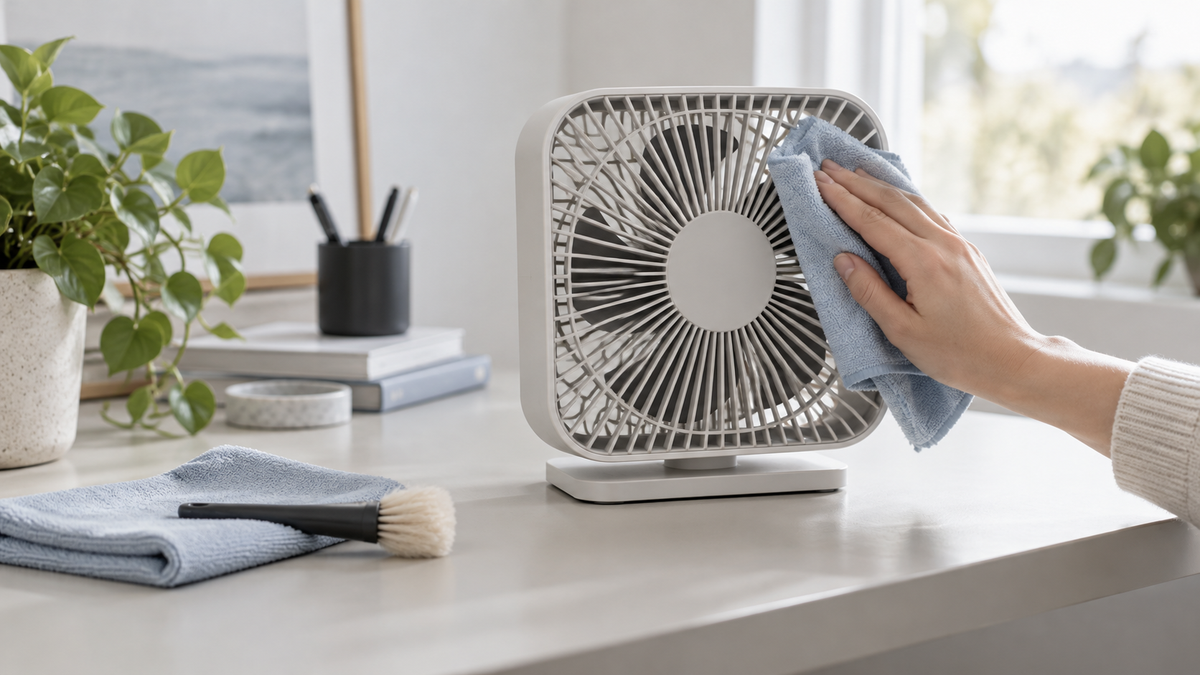
How to Clean a Desk Fan Safely
A desk fan is easy to forget until you turn it on and get a little puff of dust back. If you are wondering how to clean a desk fan, start small. Most fans need a careful wipe more often than they need to be taken apart.
Before you touch the grille
Turn the fan off and unplug it. If it is rechargeable, switch it off and disconnect the charging cable. Let the blades come to a complete stop. Have a soft cloth, a small brush, and a bowl of mild soapy water nearby, but keep water away from the motor, controls, charging port, and battery housing.
It is worth checking the instructions for your exact fan before removing anything. If you need model-specific help, start with the WHATOOK support center. Some front grilles twist off; others are secured with clips or screws; some are not meant to be removed by the user at all. Do not force a cover just because a similar fan in a video opened that way.
The five-minute clean
For light dust, wipe the outside of the grille and base with a dry or barely damp microfiber cloth. A soft brush can reach between grille bars and lift dust away from the blade edges. Work gently so you do not bend the grille or push dust farther into the fan. Wipe the cord or charging cable separately if it needs it.
If the fan sits next to your keyboard, move it away from papers first. Dust that is brushed loose has a habit of landing exactly where you did not want it. A cloth beneath the fan saves a second cleanup.
When the blades need more attention
If your model's manual says the grille can be removed, follow those steps and keep any small fasteners together. Wipe the blades with a lightly damp cloth, holding each blade steady instead of spinning it by hand. For greasy buildup, a little mild soap on the cloth is usually more useful than spraying cleaner into the fan. Never spray liquid directly into the motor or vents.
Wash a removable grille only if the manual allows it. The grille and blades must be fully dry before you put them back. Reassemble the fan exactly as directed, check that the cover is secure, and only then plug it in or turn it on. If you are unsure how a part fits, stop and check the manual rather than guessing.
How often should you do it
There is no magic calendar date. A fan running every day in a dusty room will need attention sooner than one used occasionally. Look at the grille and blades every couple of weeks during heavy use. When you can see dust collecting, give it a wipe before that buildup gets thick.
If airflow still seems weak after cleaning, make sure nothing blocks the inlet and that the grille is seated correctly. A new rattling sound, damaged cord, or wobbling blade is a reason to stop using the fan and contact the manufacturer or seller. Cleaning cannot fix a damaged part.
If you are comparing an easy-to-maintain fan for a work or bedside setup, browse the WHATOOK desk fans and check each model's care instructions before purchase.
A clean desk fan will not transform a hot room, but it does make the fan you already have nicer to use. A quick wipe now and then is usually easier than a big clean at the end of summer.